
IPTV Compatible Devices Canada 2026, Every Platform That Works
The full list of IPTV compatible devices Canada in 2026 includes Samsung and LG Smart TVs, Amazon Firestick, Android TV boxes, Android phones and tablets, iPhone and iPad, MAG boxes, Windows PC, Mac, and Chromecast. Royal Stream IPTV works on all of these, setup takes under 5 minutes on most devices. No new hardware required if you already own any of the above.
Disclosure: App availability and compatibility may vary by device model and firmware version. Firestick and Smart TV app installation methods are subject to change by the device manufacturer. Contact Royal Stream 24/7 WhatsApp support for the most current setup instructions for your specific device. Prices are in CAD and subject to change, verify current rates at royalstreamiptv.com.
24-Hour Free Trial, Test on Your Device First
Verify IPTV works perfectly on your TV, phone, or box before paying anything. No credit card required.
What Devices Work With IPTV in Canada?
Royal Stream IPTV is compatible with virtually every screen Canadians already own. The service delivers content via an M3U playlist Canada format, meaning any device with a compatible IPTV player Canada app can stream the full channel library. You do not need to buy special hardware, the device you are reading this on likely already works.
Here is the complete compatibility overview:
| Device | Compatible | Install Method | Best App |
|---|---|---|---|
| Samsung Smart TV (2016+) | ✓ Yes | Smart TV app store | Smart IPTV, SS IPTV |
| LG Smart TV (2019+) | ✓ Yes | LG Content Store | SS IPTV, Smart IPTV |
| Android TV Box | ✓ Yes (best) | Direct APK install | GSE Smart IPTV, SS IPTV |
| Amazon Firestick / Fire TV | ✓ Yes | Downloader app (sideload) | GSE Smart IPTV |
| Android Phone / Tablet | ✓ Yes | APK or Play Store | GSE Smart IPTV |
| iPhone / iPad (iOS) | ✓ Yes | App Store | SS IPTV, GSE Smart IPTV |
| MAG Box | ✓ Yes | Plug and play (native) | Built-in portal |
| Windows PC | ✓ Yes | Download app or browser | VLC |
| Mac | ✓ Yes | Download app or browser | VLC, IINA |
| Chromecast | ✓ Yes | Cast from Android/iOS | Cast via IPTV app |
| Roku | ⚠ Limited | Screen mirror only | No native IPTV app |
Samsung Smart TV, IPTV Setup Canada
Samsung Smart TVs running Tizen OS (2016 and newer models) are fully compatible with Royal Stream IPTV. Two apps are available directly from Samsung’s built-in app store:
- Smart IPTV (SIPTV), one of the most popular IPTV players Canada for Samsung TVs. Supports M3U playlist URLs and EPG. One-time activation fee applies on the app side.
- SS IPTV, free Samsung IPTV app with M3U playlist Canada support, multi-EPG, and a clean interface. No activation fee.
Once the app is installed, you add your Royal Stream M3U playlist URL (provided after signup) and the full channel library loads automatically. The EPG (14-day TV guide) populates within a few minutes.
Compatible Samsung models: Any Samsung Smart TV from 2016 onward running Tizen OS. Older Samsung TVs (pre-2016) are not supported by these apps but may work via an Android box connected to the HDMI port.
LG Smart TV, IPTV Setup Canada
LG Smart TVs running webOS 4.9 or newer (2019+ models) support IPTV apps through the LG Content Store. Two primary options:
- SS IPTV, available on the LG Content Store for webOS. Free, M3U compatible, supports EPG.
- Smart IPTV, webOS version available for LG TVs running webOS 4.9 and above.
LG webOS version guide:
- webOS 6.0 = 2021+ LG TVs
- webOS 5.0 = 2020 LG TVs
- webOS 4.9 = 2019 LG TVs (minimum for IPTV app support)
- Older LG TVs, use an Android box via HDMI instead
For LG TVs not supported by the app store apps, connect an Amazon Firestick or Android box to the TV’s HDMI port, this gives you full IPTV compatibility regardless of TV age.
Android TV Boxes, Best IPTV Device Canada
Android TV boxes are the most compatible and flexible IPTV setup Canada option. They run full Android OS, which means you can install any IPTV app directly via APK, no restrictions, no sideloading workarounds. The best IPTV app Canada options for Android boxes include:
- SS IPTV, versatile Android IPTV player with EPG guide support, multi-stream, and M3U playlist or Xtream Codes login.
- GSE Smart IPTV, free app, clean interface, works with M3U playlist URL or Xtream Codes login provided by Royal Stream.
- IBOplayer Pro, lightweight alternative, compatible with lower-powered Android TV boxes.
Popular Android boxes in Canada: Nvidia Shield, Formuler Z8 Pro, Formuler Z10 Pro Max, BuzzTV XRS 4900, and generic H96/X96 series boxes. All are fully compatible with Royal Stream IPTV. See the full IPTV Canada channels list to verify your favourite channels are included.
Amazon Firestick & Fire TV, IPTV Canada
Amazon Firestick and Fire TV devices are compatible with Royal Stream IPTV but require a sideloading process, IPTV apps are not available directly in the Amazon App Store. The installation method uses the Downloader app, which is available in the Amazon App Store and allows you to install APK files on your Firestick.
Important: Do not attempt to search for Royal Stream or GSE Smart IPTV in the Amazon App Store directly, these apps are not listed there. The Downloader method is the correct and supported approach.
For full step-by-step Firestick setup instructions specific to your device and firmware version, contact Royal Stream 24/7 WhatsApp support for device-specific setup assistance. Support is available in English and French.
Compatible Firestick models: Firestick 4K, Firestick 4K Max, Fire TV Stick Lite, Fire TV Cube, Fire TV (all generations). All run the same Fire OS and use the same Downloader install process.
Need Help Setting Up on Your Device?
Royal Stream 24/7 WhatsApp support walks you through setup on any device. English and French available.
Android Phones & Tablets
Android phones and tablets are fully supported with no restrictions. Install GSE Smart IPTV or SS IPTV from the Google Play Store, add your Royal Stream M3U playlist URL or Xtream Codes credentials, and start watching immediately.
Android IPTV works on any phone running Android 5.0 or newer, which covers virtually all Android devices manufactured after 2014. This includes Samsung Galaxy, Google Pixel, OnePlus, Xiaomi, Motorola, and all other major Android brands sold in Canada.
For watching on a TV from your Android phone, use screen mirroring (Miracast) or cast via Chromecast, both are supported.
iPhone & iPad (iOS)
Royal Stream IPTV works on iPhone and iPad via the Apple App Store. Two recommended iOS IPTV players Canada:
- GSE Smart IPTV, available on the iOS App Store. Supports M3U playlist and Xtream Codes login. Clean interface, EPG support.
- GSE Smart IPTV, popular iOS IPTV app with advanced playlist management and multi-EPG support.
Compatible with iPhone 6s and newer, iPad Air 2 and newer, running iOS 13 or above. This covers the vast majority of iPhones and iPads in use in Canada today.
To watch on your TV from an iPhone: use AirPlay to Apple TV, or use a Lightning/USB-C to HDMI adapter to connect directly to your TV’s HDMI port.
MAG Boxes
MAG boxes (Infomir MAG 322, MAG 420, MAG 524, and similar models) are dedicated IPTV set-top boxes with native IPTV portal support. They are plug-and-play with Royal Stream IPTV, no app installation required.
Setup process: Connect the MAG box to your TV and internet, enter the Royal Stream portal URL in the MAG settings menu, and the full channel library loads automatically. MAG boxes are particularly popular with Canadians who prefer a traditional set-top box experience similar to cable.
MAG box compatibility: MAG 322w1, MAG 420, MAG 520, MAG 522, MAG 524, MAG 525. Contact Royal Stream support to confirm your specific MAG model is on the supported list.
Windows PC & Mac
Royal Stream IPTV works on Windows PC and Mac computers using free media player software. No proprietary app installation is required from an app store.
Windows:
- VLC Media Player, open-source, free, available at videolan.org. Open Network Stream, paste your M3U playlist Canada URL, and channels load instantly.
- VLC Media Player, free Windows desktop player, supports M3U playlist IPTV streams.
Mac:
- VLC Media Player, same process as Windows. Works on all macOS versions.
- IINA, modern Mac media player with M3U playlist support.
PC and Mac are ideal for watching IPTV at a desk or connecting a laptop to a TV via HDMI. No additional hardware needed beyond what you already own.
Chromecast
Chromecast devices (Google Chromecast, Chromecast with Google TV) support IPTV via casting from an Android or iOS device. The process:
- Open your IPTV app on your Android phone or iPhone (SS IPTV, GSE Smart IPTV)
- Start playing a channel
- Tap the cast icon and select your Chromecast device
- The stream appears on your TV
Chromecast with Google TV (4K version) also supports direct app installation via the Google Play Store, the same Android apps work natively without needing to cast from a phone.
Roku, Limited Compatibility
Roku is the one major streaming platform with limited Royal Stream IPTV compatibility. Roku’s closed operating system does not allow third-party IPTV app installation, and there is no native IPTV player Canada app available on the Roku Channel Store.
The only workaround on Roku is screen mirroring from a compatible Android device via the Roku Mirror app, this is not a native IPTV solution and may have limitations in picture quality and stability.
Recommendation: If you own a Roku and want full IPTV functionality, connect an Amazon Firestick or Android box to one of your TV’s HDMI ports. The Roku can remain connected for other streaming services; the Firestick/Android box handles IPTV. This is the most practical Roku + IPTV Canada setup.
Internet Speed Requirements by Device
IPTV performance depends on your internet connection, not the device. Required speeds for Royal Stream IPTV:
| Stream Quality | Required Speed | Recommended Speed |
|---|---|---|
| SD (480p) | 5 Mbps | 10 Mbps |
| HD (720p / 1080p) | 10–15 Mbps | 25 Mbps |
| 4K Ultra HD | 25 Mbps | 50 Mbps |
| 2 simultaneous streams | 30 Mbps | 50 Mbps |
| 3+ simultaneous streams | 50 Mbps+ | 100 Mbps |
Most Canadian internet plans (including entry-level cable internet) exceed these requirements. Use a wired Ethernet connection for the most stable stream; Wi-Fi works well on 5 GHz networks.
IPTV Setup Guide Canada, General Steps for Any Device
Regardless of which device you use, the Royal Stream IPTV setup guide Canada follows the same core process:
- Start the free trial, visit the Royal Stream free trial page or contact WhatsApp support. You receive login credentials within minutes.
- Install an IPTV app, use the device-specific app listed in the table above (Smart IPTV for Samsung, GSE Smart IPTV for Android/iOS, VLC for PC/Mac, Downloader for Firestick).
- Add your M3U playlist, enter your Royal Stream M3U playlist Canada URL or Xtream Codes login (username, password, server URL) into the app.
- Load channels, the app downloads and organizes your channel list automatically. First load takes 1–3 minutes.
- Start watching, browse by category (Sports, News, Entertainment, French Quebec) or search for a specific channel.
If you run into any device-specific issues during setup, contact Royal Stream 24/7 WhatsApp support for device-specific setup assistance.
Get Your M3U Playlist & Login Credentials
Sign up for a plan and receive your Royal Stream credentials instantly. Plans from $20/mo, prices subject to change, verify at royalstreamiptv.com.
Which Device Is Best for IPTV in Canada?
The best IPTV Canada device depends on your existing hardware and viewing habits:
- Best overall: Android TV box, maximum compatibility, full app freedom, best IPTV app Canada selection (SS IPTV, GSE Smart IPTV), no restrictions. Recommended for households who want the most reliable and feature-rich IPTV experience.
- Best for existing Smart TV owners: Samsung (2016+) or LG (2019+), install Smart IPTV or SS IPTV directly and skip the external box entirely.
- Best budget option: Amazon Firestick, widely available at Canadian retailers, low cost, works well once set up via Downloader. Requires one-time sideload setup.
- Best for mobile: iPhone or Android, watch live Canadian TV anywhere with a data connection. TSN and Sportsnet available on the go.
- Best plug-and-play: MAG box, designed specifically for IPTV, closest experience to a traditional cable set-top box.
Whichever device you choose, start with the 24-Hour free trial to confirm everything works on your specific hardware before subscribing. For device comparisons vs traditional cable, see IPTV vs cable Canada.
Ready to Set Up IPTV on Your Device?
Start the 24-Hour free trial. No credit card. Full access on all your devices immediately.
Frequently Asked Questions
What devices are compatible with IPTV in Canada?
Royal Stream IPTV is compatible with Samsung Smart TVs (2016+), LG Smart TVs (2019+), Android TV boxes, Amazon Firestick, Android phones and tablets, iPhone and iPad, MAG boxes, Windows PC, Mac, and Chromecast. Roku has limited compatibility via screen mirroring only. For any device not listed, contact Royal Stream WhatsApp support.
What is the best IPTV app for Canada?
The best IPTV app Canada depends on your device. For Android TV boxes and Android phones: GSE Smart IPTV or SS IPTV. For Samsung TVs: Smart IPTV or SS IPTV. For LG TVs: SS IPTV. For iPhone and iPad: GSE Smart IPTV or SS IPTV. For PC and Mac: VLC Media Player. All work with Royal Stream’s M3U playlist Canada URL.
How do I install IPTV on a Firestick in Canada?
IPTV apps are not available in the Amazon App Store. The correct method is: install the Downloader app from the Amazon App Store, use it to download and install the GSE Smart IPTV APK, then enter your Royal Stream credentials. For step-by-step Firestick setup assistance, contact Royal Stream 24/7 WhatsApp support for device-specific setup guidance.
Does IPTV work on Samsung Smart TV in Canada?
Yes. Samsung Smart TVs from 2016 and newer (Tizen OS) support IPTV via Smart IPTV or SS IPTV apps, available in Samsung’s built-in app store. Install the app, add your Royal Stream M3U playlist URL, and the full channel library loads. Older Samsung TVs can use an Android box or Firestick connected via HDMI.
Can I use IPTV on my iPhone in Canada?
Yes. Royal Stream IPTV works on iPhone and iPad via the iOS App Store. Install GSE Smart IPTV or SS IPTV, enter your Royal Stream M3U playlist or Xtream Codes login, and start watching. Compatible with iPhone 6s and newer running iOS 13 or above. Use AirPlay to stream from iPhone to an Apple TV or AirPlay-compatible TV.
What internet speed do I need for IPTV in Canada?
For HD streaming (1080p), 25 Mbps is recommended. For 4K streaming, 50 Mbps. Most Canadian broadband plans already exceed these requirements. Use a wired Ethernet connection for the most stable stream; Wi-Fi on a 5 GHz network also works reliably. For multiple simultaneous streams, ensure your plan provides at least 25 Mbps per stream.
Does IPTV work on Roku in Canada?
Roku has limited IPTV compatibility. There is no native IPTV app in the Roku Channel Store, and Roku’s operating system does not allow third-party APK installation. The only workaround is screen mirroring from an Android device. The recommended alternative: connect an Amazon Firestick or Android box to your TV’s HDMI port for full IPTV functionality alongside your Roku.
How do I get my M3U playlist from Royal Stream IPTV?
After signing up for any Royal Stream IPTV plan, including the free 24-Hour trial, you receive login credentials via email or WhatsApp. These credentials include your M3U playlist Canada URL and Xtream Codes details (server URL, username, password). Enter these into any compatible IPTV app on your device. Contact 24/7 WhatsApp support if you need help retrieving or using your credentials.
Stream across Canada with Royal Stream IPTV
Rights-cleared infrastructure and a 24-hour free trial so you can test before you pay. Choose your province or city:
New to IPTV in Canada? Check whether it’s legal first: our guide to CRTC rules and IPTV legality in Canada.
Apple TV
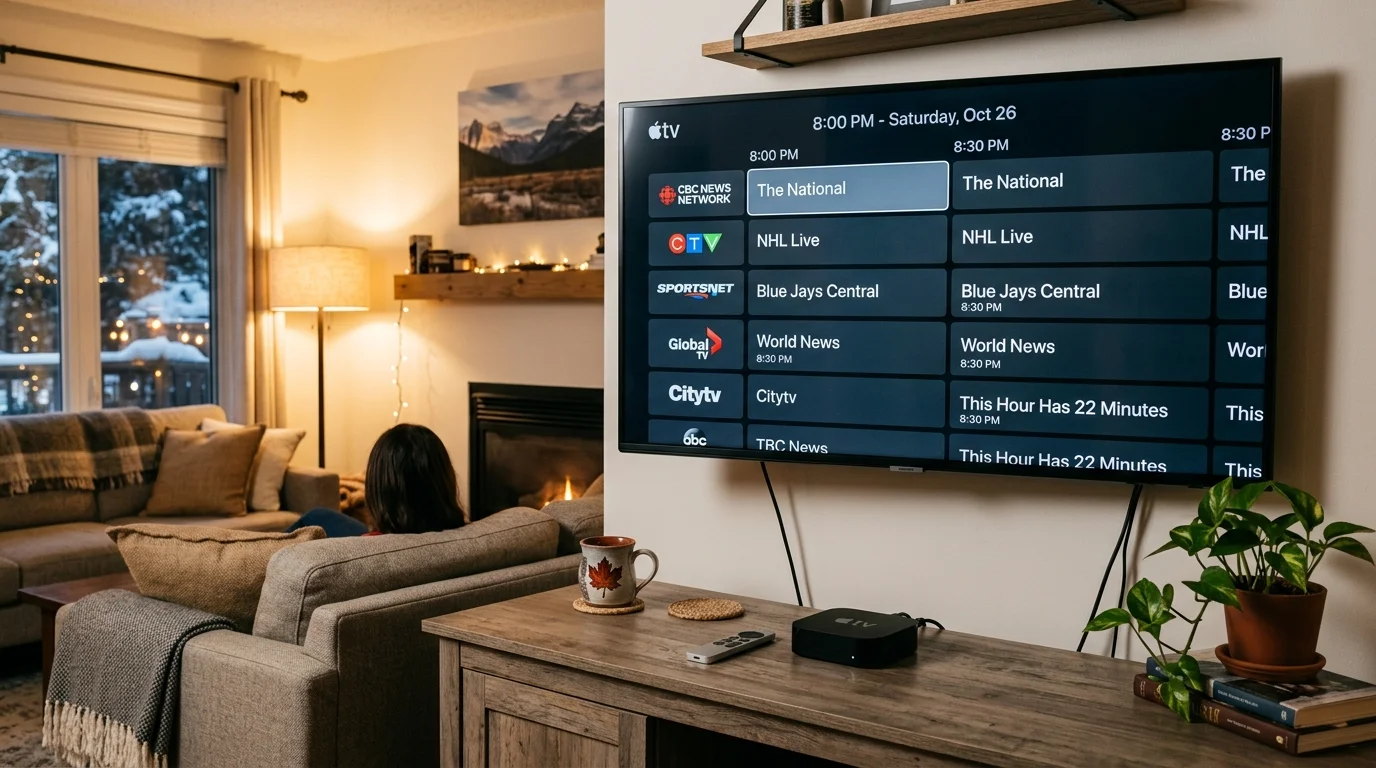
Apple TV 4th generation and newer supports Royal Stream IPTV through tvOS apps from the App Store. This includes Apple TV HD (4th gen, 2015), Apple TV 4K 2nd gen (2021), and Apple TV 4K 3rd gen (2022+). Two solid app options:
- IPTV Smarters Pro: full Xtream Codes login with EPG, VOD, and catch-up support. Available for tvOS directly from the App Store.
- GSE Smart IPTV: the tvOS version supports both M3U playlist URL and Xtream Codes login. The free tier works fine for most users; some advanced features require an in-app purchase.
Apple TV Setup Steps
- On your Apple TV, open the App Store.
- Search for IPTV Smarters Pro (or GSE Smart IPTV) and install it.
- Open the app and choose Login with Xtream Codes.
- Enter the server URL, username, and password from your Royal Stream welcome email.
- Your channels, EPG, and VOD library load automatically.
M3U option: If you prefer, use the M3U playlist URL instead. Paste it into the app’s “Add Playlist” screen and both methods work equally well.
Compatibility note: The original Apple TV 3rd gen (pre-2015, no App Store) and earlier models don’t support third-party tvOS apps. You need Apple TV HD (4th gen, 2015) or any Apple TV 4K model. Check Settings > General > About on your remote to confirm your model before downloading.
Apple TV is a clean IPTV option for Canadians who already use it for Apple TV+ or AirPlay. No extra hardware to buy.
Roku Full Workaround Guide
Roku doesn’t support native IPTV apps. There’s no M3U player or Xtream Codes app in the Roku Channel Store because Roku’s platform policies block them. Three workarounds let you watch Royal Stream IPTV on a Roku device.
Option A: Plex + M3U (Best Quality)
Plex Media Server (free, runs on a Windows or Mac PC on your home network) accepts IPTV playlists as a live TV source. Add your Royal Stream M3U URL under Plex’s “Live TV & DVR” settings, then install the free Plex channel on your Roku. Channels stream through Plex to the Roku. It’s the most stable workaround, but setup takes 20-30 minutes on the PC side.
Option B: Screen Mirror from Android
Enable screen mirroring on your Roku (Settings > System > Screen Mirroring > Always Allow). On your Android phone or tablet, open GSE Smart IPTV with your Royal Stream channels loaded, then cast to the Roku. The downside: you’re tied to your phone’s screen resolution and battery life, and some Android phones limit mirroring to 1080p even on 4K Roku models.
Option C: Switch to Firestick (Recommended)
The Amazon Firestick 4K runs around $60 CAD and gives you a far better IPTV experience. You get direct APK install of IPTV Smarters Pro or TiviMate, full 4K support, and Xtream Codes compatibility out of the box. Most Royal Stream customers on Roku end up here after trying the workarounds.
Internet Speed Requirements for IPTV
IPTV streams as a continuous live feed, so a stable connection matters more than raw peak speed. Here’s what you need by stream quality:
| Stream Quality | Minimum Speed | Recommended |
|---|---|---|
| SD (480p) | 5 Mbps | 8 Mbps |
| HD (720p / 1080p) | 10 Mbps | 15 Mbps |
| 4K / UHD | 25 Mbps | 35 Mbps |
| Multiple streams (x2) | Double per stream | n/a |
Wired ethernet beats Wi-Fi every time. A direct Ethernet cable from your router to your TV box or smart TV cuts out the packet loss and interference that cause buffering. If running a cable isn’t practical, use the 5 GHz Wi-Fi band rather than 2.4 GHz, it’s faster and less congested in apartment buildings.
Buffering on Wi-Fi? Try these in order: move your device closer to the router; switch to the 5 GHz band in your Wi-Fi settings; restart your router; or try a Powerline adapter (plugs into your wall outlet, carries internet over your home’s electrical wiring). If speed tests check out but buffering persists, contact Royal Stream 24/7 WhatsApp support and they can switch you to a less-loaded server.
Troubleshooting by Device
Most IPTV issues come down to three things: app settings, internet connection, or playlist/credential problems. Here’s a quick-fix guide by symptom.
Buffering
- Lower the stream quality in your app’s settings (HD to SD) to confirm it’s a bandwidth issue, not a server issue.
- Run a speed test at fast.com to check your actual download speed.
- Switch from Wi-Fi to wired Ethernet if possible.
- Contact Royal Stream support via WhatsApp at +44 7411 575226. They can move you to Server 2 if the primary server is congested in your region.
App Not Loading Channels
- Re-enter the M3U URL exactly as provided, with no extra spaces or missing characters.
- Check that your subscription hasn’t expired. Log in at royalstreamiptv.com or contact support to confirm.
- Delete the playlist and re-add it fresh. Some apps cache a broken URL rather than fetching a new one.
- Royal Stream’s 24/7 WhatsApp support can generate a fresh playlist URL instantly: +44 7411 575226.
EPG Not Showing
- Wait 5-10 minutes after the playlist loads. EPG data takes a few minutes to populate on first load.
- In most apps (GSE Smart IPTV, TiviMate, IPTV Smarters Pro), look for a Force EPG Update or Refresh EPG button in settings.
- Some apps require you to set the EPG URL separately. Use the EPG URL from your Royal Stream welcome email.
Black Screen on Channels
- Try a different IPTV app. Switch from Smart IPTV to SS IPTV or IPTV Smarters Pro, some apps handle certain stream formats better than others.
- Check if you’re using a VPN. Some Canadian channels are geo-restricted and a VPN can break them. Disable the VPN and try again.
- Restart the app completely (force-close, not just background).
Firestick-Specific Issues
- App crashes: Go to Settings > Applications > Manage Installed Applications > [your IPTV app] > Clear Cache. Repeat this monthly for best performance.
- Slow performance: Firestick has limited RAM. Close unused apps and restart the device monthly.
- APK won’t install: Confirm “Apps from Unknown Sources” is enabled in Settings > My Fire TV > Developer Options.
Samsung Smart TV (SIPTV Activation)
If Smart IPTV on Samsung shows “not activated”: this is a one-time fee (around 5 EUR) paid directly on the SIPTV website (siptv.eu). It covers the app licence for life on that TV and is separate from your Royal Stream subscription. Enter your TV’s MAC address on the SIPTV site to activate. This charge goes to the app developer, not to Royal Stream.
Frequently Asked Questions About IPTV Compatible Devices in Canada
Does Royal Stream IPTV work on Smart TVs without an Android box?
Yes. Samsung Smart TVs (2016 and newer) and LG Smart TVs (2019 and newer) can install IPTV apps directly from their built-in app stores, no extra hardware required. Samsung uses the Tizen Smart Hub; LG uses the webOS Content Store. Both carry Smart IPTV and SS IPTV. On older models without a compatible app store, an Android TV box is the easiest workaround.
Can I use Royal Stream on multiple devices at the same time?
The standard 1-month, 3-month, 6-month, and 12-month plans cover 1 simultaneous connection. The 12-month 5-connection plan ($212/yr CAD) lets you stream on up to 5 devices at the same time, great for families or households with multiple TVs. Contact Royal Stream support via WhatsApp at +44 7411 575226 or email support@royalstreamiptv.com to add connections to an existing account.
Does IPTV work on Roku?
Not natively. Roku’s Channel Store doesn’t carry M3U or Xtream Codes IPTV apps. Your three options are: (A) use Plex Media Server on a PC to relay the Royal Stream M3U playlist to the Roku Plex channel, (B) screen-mirror from an Android phone using GSE Smart IPTV, or (C) replace the Roku with an Amazon Firestick 4K (around $60 CAD), which gives full IPTV support via direct APK install. Most users who want a clean IPTV experience go with option C.
What’s the best device for IPTV in Canada?
Android TV boxes (Nvidia Shield, Formuler Z8 Pro, BuzzTV) and the Amazon Firestick 4K are the top picks. Both support direct app installation, full 4K streams, and Xtream Codes natively. The Firestick wins on price (around $60 CAD) and ease of setup. If you already own a Samsung or LG Smart TV from 2019 or newer, you don’t need extra hardware at all. Just install Smart IPTV or SS IPTV from the built-in app store.
Can I use Royal Stream on iPhone or iPad?
Yes. Download GSE Smart IPTV or SS IPTV from the App Store. Both are free with optional paid features. Open the app, go to “Add Playlist,” and paste your M3U URL from the Royal Stream welcome email. You can also use Xtream Codes login (server URL, username, password). Playback works on both iPhone and iPad in portrait and landscape. For AirPlay, mirror directly to an Apple TV or AirPlay 2-compatible TV.
Is Apple TV compatible with Royal Stream IPTV?
Yes, on Apple TV 4th gen and newer (including all Apple TV 4K models). Go to the tvOS App Store and install IPTV Smarters Pro or GSE Smart IPTV. Log in with your Xtream Codes credentials from your Royal Stream welcome email and your channels load right away. The original Apple TV 3 and earlier are not compatible because they pre-date the tvOS App Store.