You’ve got a Roku sitting on your TV stand, an IPTV subscription on its way, and a simple question: does IPTV work on Roku? The honest answer is: not the way you’d expect. Roku is one of Canada’s most popular streaming sticks, but it runs a locked-down app store that deliberately excludes IPTV players like GSE Smart IPTV and IPTV Smarters. Those apps simply don’t exist on Roku’s channel store in Canada, or anywhere else for that matter.
That doesn’t mean it’s completely impossible. There are three workarounds that some Canadians use to get IPTV running on a Roku device, and we’ll walk through all of them honestly, including the downsides most sites skip over. We’ll also tell you upfront: if IPTV is a priority for you, there’s a better device for it.
This guide covers every realistic option for Roku IPTV in Canada in 2026, what works, what doesn’t, and what most Canadians end up doing instead.
Does IPTV Work on Roku? The Short Answer
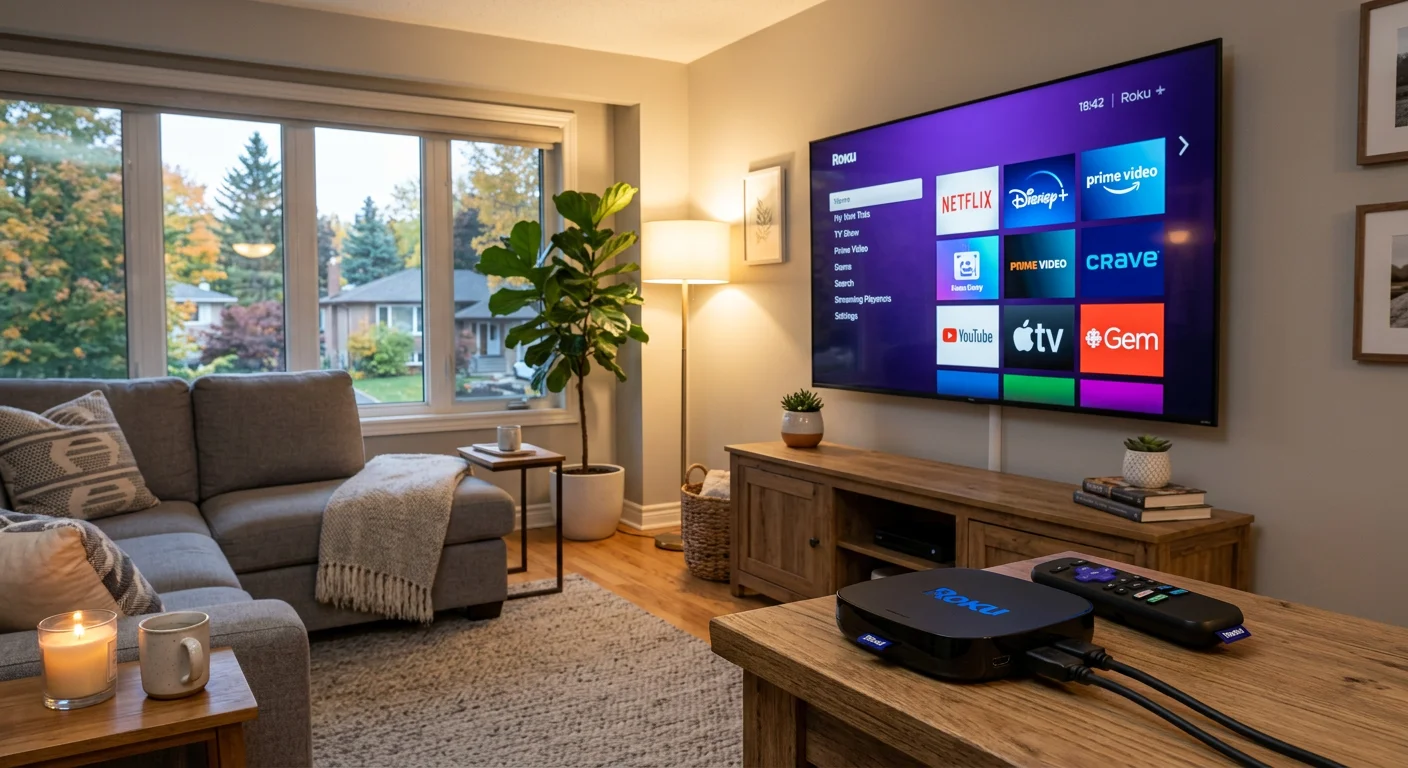
No native IPTV app exists on Roku’s channel store in Canada. This isn’t a licensing gap that might get filled next year. It’s a deliberate feature of how Roku operates.
Roku runs a walled-garden platform. Every channel (app) has to be approved and published by Roku before users can install it. That approval process screens out apps that could be used for unauthorized streaming, which is why you won’t find GSE Smart IPTV, IPTV Smarters Pro, TiviMate, or any M3U/Xtream Codes player on Roku’s store. Unlike Android TV or Amazon Fire OS, there’s no way to sideload APKs on Roku. What’s in the store is what you get.
Roku does have: the Plex channel, a basic web browser called “The Web by Vewd,” and screen mirroring from Android devices. These three features form the basis of the three workarounds below, each with real limitations you should know about before you invest time setting them up.
Workaround 1: Plex + M3U Playlist
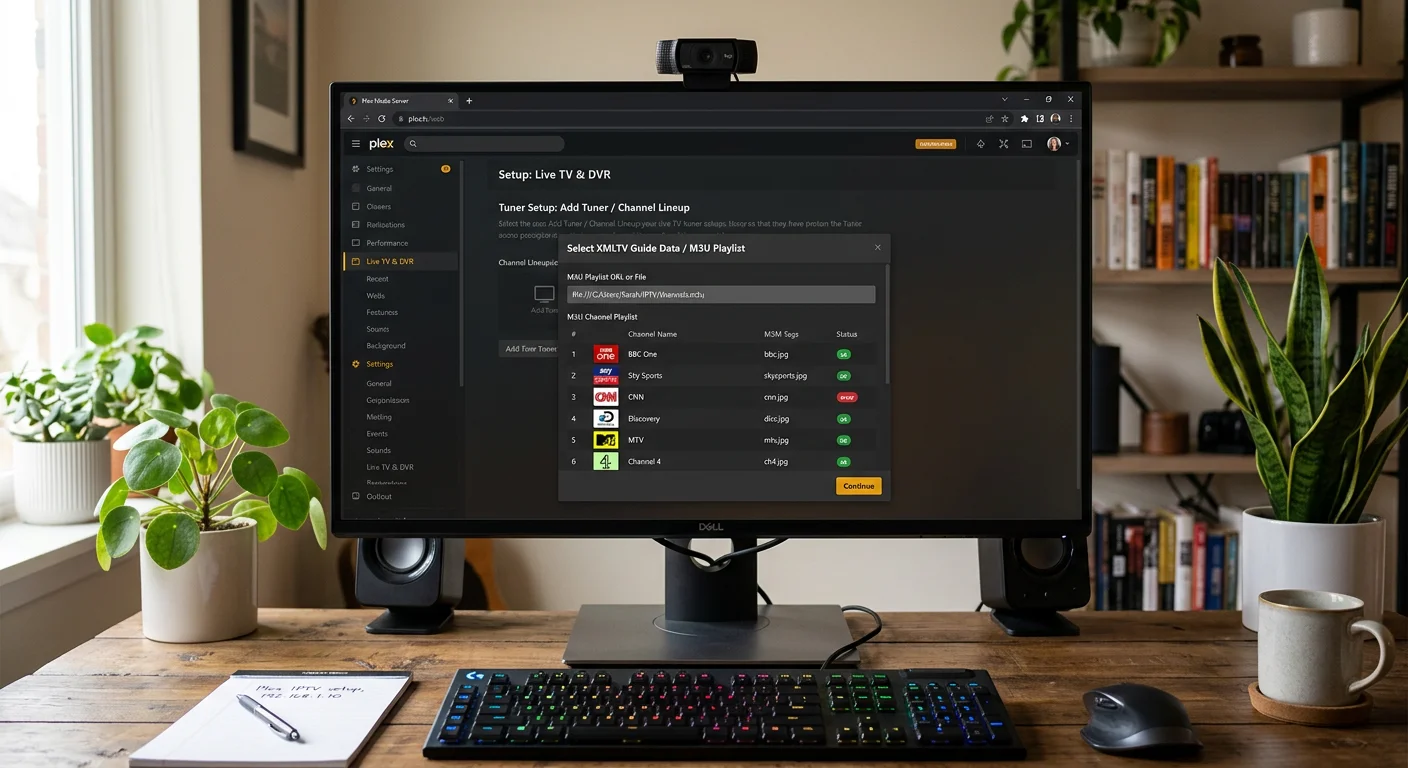
This is the most stable workaround for using IPTV on Roku. Plex is a media server application with a legitimate channel on Roku’s store, and it supports Live TV via M3U playlists, which is exactly how most IPTV services deliver their channel lists.
How to set it up
- Install Plex Media Server on a Windows or Mac computer on your home network. Download it free from plex.tv. The computer needs to stay on whenever you want to watch IPTV.
- Open Plex Media Server in your browser (usually at localhost:32400) and sign in or create a free Plex account.
- Go to Settings > Live TV & DVR and click “Set Up Plex DVR.”
- When prompted for a tuner, choose “Network Tuner” and enter your M3U playlist URL. Your IPTV provider (like Royal Stream) will give you this URL in your welcome email.
- Choose an EPG (Electronic Program Guide) source, either the URL your IPTV provider supplies, or a free EPG aggregator like epg.pw.
- On your Roku, install the free Plex channel from the Roku Channel Store, sign into your Plex account, and navigate to Live TV.
Pros
- Reasonably stable once configured
- Plex has a decent interface with EPG support
- Free Plex account works (no Plex Pass required for M3U Live TV)
Cons
- Your PC must be running at all times to serve the streams. If the computer sleeps, restarts, or loses power, your Roku loses IPTV access.
- Setup is fairly technical, not ideal if you’re not comfortable with media servers.
- Plex adds a layer of transcoding that can cause buffering on slower home networks.
- Free Plex accounts may have limited Live TV features depending on Plex’s policy changes.
- Plex doesn’t support Xtream Codes API directly. You need the M3U URL, not the username/password credentials some providers use.
Bottom line: If you already have Plex set up and a PC you don’t mind leaving on, this works. For most people setting up IPTV fresh, it’s more friction than it’s worth.
Workaround 2: Screen Mirror from Android
Roku supports screen mirroring from Android phones and tablets. You can install an IPTV app like GSE Smart IPTV on your Android device and mirror it to your Roku-connected TV. It’s the simplest workaround in terms of setup steps.
How to set it up
- Enable screen mirroring on Roku: Go to Settings > System > Screen Mirroring and set it to “Prompt” or “Always Allow.”
- On your Android phone or tablet, open Settings and look for “Cast,” “Screen Mirror,” or “Smart View” (the label varies by manufacturer). Select your Roku from the list of available devices.
- Open GSE Smart IPTV (or another IPTV app) on your Android and load your playlist. The screen will now appear on your TV through the Roku.
Pros
- No PC required
- Quick to set up
- Works with any IPTV app on Android
Cons
- Your phone must stay open and active the entire time you’re watching. Lock the screen and mirroring stops.
- Resolution is limited to your phone’s screen, not the Roku’s 4K or HD output. You’ll likely get 1080p at best, depending on your device.
- No EPG. You lose the channel guide experience entirely.
- Phone battery drains quickly. You’ll need to keep it plugged in.
- iPhones don’t work. Roku doesn’t support AirPlay, so this workaround is Android-only.
- Casting audio can lag behind video on some devices.
Bottom line: Fine for occasional use when you have no other option. Not great for nightly TV watching. Having your phone tied up and plugged in gets old fast.
Workaround 3: Roku Web Browser
Roku has a basic web browser called “The Web by Vewd” available in its channel store. In theory, you could visit a web-based IPTV player through this browser and watch streams.
In practice, this rarely works reliably. Most IPTV services don’t offer a dedicated web player. They provide M3U playlists or Xtream Codes credentials designed for dedicated apps. The Vewd browser is also very basic: it struggles with video streams, has no DRM support, and tends to crash or buffer on anything more demanding than a simple webpage.
We want to be direct here: Royal Stream IPTV does not have a dedicated web player. Like most IPTV services, Royal Stream delivers content through Xtream Codes-compatible apps and M3U playlists, neither of which work through a browser in any practical sense. If your IPTV provider does happen to offer a web player, this workaround is worth a try. Most don’t.
Bottom line: This is the weakest of the three options. Don’t plan your setup around it.
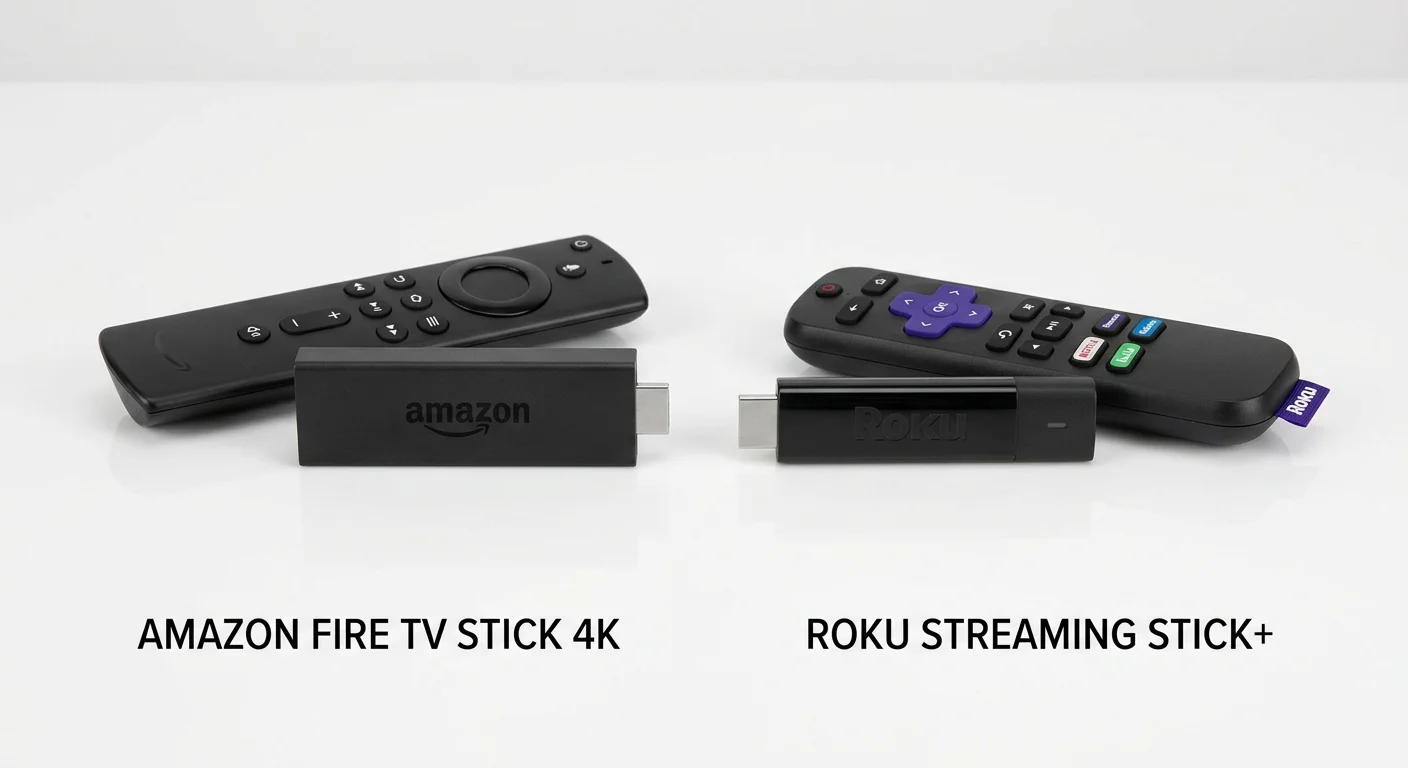
Why Most Canadians Switch from Roku to Firestick for IPTV
The workarounds above can technically get IPTV running on Roku. But there’s a reason most Canadians who take IPTV seriously end up switching to an Amazon Firestick. It’s not marketing; it’s the architecture of the device.
The Firestick runs Fire OS, which is based on Android. That means it supports APK sideloading, the ability to install apps from outside Amazon’s app store. IPTV players like GSE Smart IPTV, IPTV Smarters Pro, and TiviMate are all available as direct APK downloads and install cleanly on Firestick without any workarounds.
Here’s what you get with a Firestick that you can’t replicate on Roku:
- Direct IPTV app installation with no PC, no phone mirroring, no browser tricks
- Full EPG support so you can see what’s on across 120,000+ channels
- Xtream Codes login where you enter your username, password, and server URL from your provider’s welcome email
- 4K HDR + Dolby Atmos on the Firestick 4K model
- Alexa remote for voice control
The Amazon Firestick 4K retails for $59.99 CAD on Amazon.ca and frequently goes on sale for around $39.99 CAD, particularly during Prime Day and Black Friday. For a device that gives you native IPTV support plus all the streaming apps you’d use on Roku (Netflix, Disney+, Prime Video, CBC Gem, Crave), it’s hard to argue against.
If you want more power and storage, the Firestick 4K Max ($79.99 CAD) adds Wi-Fi 6E and ambient display features. The standard Firestick HD ($49.99 CAD) covers 1080p if you don’t have a 4K TV yet.
Check current Canadian pricing and availability on our IPTV compatible devices guide, where we keep it updated with real-world sale prices.
Setting Up Royal Stream IPTV on Firestick
Once you have a Firestick, the setup for Royal Stream IPTV is straightforward. Here’s the quick version:
- Install the Downloader app from the Amazon App Store on your Firestick. It’s free and listed in the store.
- Enable apps from unknown sources: Go to Settings > My Fire TV > Developer Options > Install Unknown Apps and enable Downloader.
- Open Downloader and enter the URL for the GSE Smart IPTV APK (search “GSE Smart IPTV APK download” to find the official site). Download and install it.
- Open GSE Smart IPTV and tap the menu icon. Choose “Xtream Codes API” and enter the server URL, username, and password from your Royal Stream welcome email.
- Your channels, VOD library, and EPG will load automatically.
Royal Stream supports 120,000+ live channels including CBC, CTV, TSN, Sportsnet, NFL Sunday Ticket, and NHL games. You also get a 24-hour free trial before committing, so you can test it on whatever device you’re using. See the compatible devices page for setup guides on other devices like MAG boxes, Apple TV, and Smart TVs.
Can You Keep Your Roku?
Yes, and plenty of Canadians do exactly this. Roku and Firestick aren’t mutually exclusive. Many people keep the Roku plugged into one HDMI port for Netflix, Disney+, Crave, CBC Gem, and Apple TV+, and the Firestick in another port for IPTV. You switch inputs when you want to switch modes.
Roku is genuinely good at what it does. Its interface is clean, it updates reliably, and it doesn’t push ads as aggressively as some other platforms. For legal streaming services, it’s a solid choice. It just doesn’t do IPTV natively, and the workarounds are friction you don’t need to put up with when a $40-$60 device solves the problem directly.
If you only have one HDMI port, most Canadians who’ve tried both choose Firestick as their single stick, since it covers both IPTV and regular streaming apps equally well.
Frequently Asked Questions
Does Roku have an IPTV app in Canada?
No. Roku’s channel store does not carry native IPTV apps like GSE Smart IPTV, IPTV Smarters, or TiviMate in Canada or anywhere else. Roku’s walled-garden platform doesn’t allow the type of M3U/Xtream Codes apps that IPTV services rely on. The three workarounds in this guide (Plex, screen mirroring, web browser) are the only options available on Roku.
What’s the best IPTV device in Canada?
The Amazon Firestick 4K is the most popular choice for IPTV in Canada because it supports APK sideloading, runs full IPTV apps natively, and costs $40-$60 CAD on Amazon.ca. Android TV boxes (like the Nvidia Shield or cheaper Android boxes) are also excellent and offer more storage and processing power, though they cost more. For Canadians on a budget, the standard Firestick HD gets the job done at 1080p.
Can I use Royal Stream IPTV on Roku?
Royal Stream IPTV doesn’t have a dedicated Roku channel. You can use it on Roku only through the Plex workaround (using your M3U playlist URL in Plex’s Live TV setup) or via Android screen mirroring. For the best Royal Stream experience, a Firestick or Android device is recommended. Royal Stream’s 24-hour free trial lets you test it before purchasing — see pricing here.
Is IPTV legal in Canada?
The legality of IPTV in Canada depends on the service. Legitimate IPTV services that have licensed their content operate legally. Services that redistribute broadcast channels without authorization fall into a legal grey area under Canadian copyright law. The CRTC has taken action against several unauthorized services. For a detailed breakdown of what the rules actually say, read our IPTV Canada legal guide.
What Roku model works best for screen mirroring IPTV?
Any Roku model from the past three years supports screen mirroring from Android. The Roku Streaming Stick 4K and Roku Ultra have the fastest processors and will handle mirroring with the least lag. Older Roku models (Express, Premiere) can struggle with screen mirroring, especially at higher resolutions. Mirroring is also limited by your phone’s screen resolution regardless of which Roku you have.
How much does IPTV cost compared to cable in Canada?
Cable TV in Canada averages $80-$120/month CAD for a mid-tier package, often more with sports add-ons. Royal Stream IPTV costs $20/month on a monthly plan, or as low as $5.75/month ($69/year) on an annual plan. Even with the cost of a Firestick, most Canadians break even compared to cable within the first month or two.
Conclusion
Roku is a capable streaming device, but IPTV isn’t what it was built for. The three workarounds (Plex + M3U, Android screen mirroring, and the web browser) all technically function, but each comes with trade-offs that add friction to something that should be simple.
If you’re serious about IPTV in Canada, an Amazon Firestick is the cleaner path. It handles native IPTV apps, full EPG support, and 4K streaming without any workarounds. And it doesn’t mean giving up your Roku; most Canadians run both.
Royal Stream IPTV offers a free 24-hour trial with no credit card needed, so you can test it on your setup before committing. If you’re ready to move past the workarounds, start your trial here or check the full pricing page for all plan options.
Version française disponible: Guide d’installation IPTV en français

Marc Tremblay is a Canadian cord-cutting enthusiast based in Montreal. After spending years overpaying for cable, he started testing IPTV services across Canada and writing about what actually works. He covers streaming, Canadian sports broadcasting, and everything cord-cutting at Royal Stream IPTV.