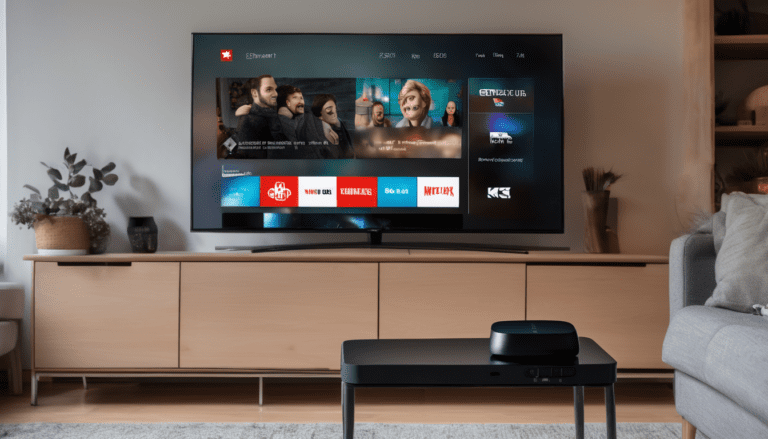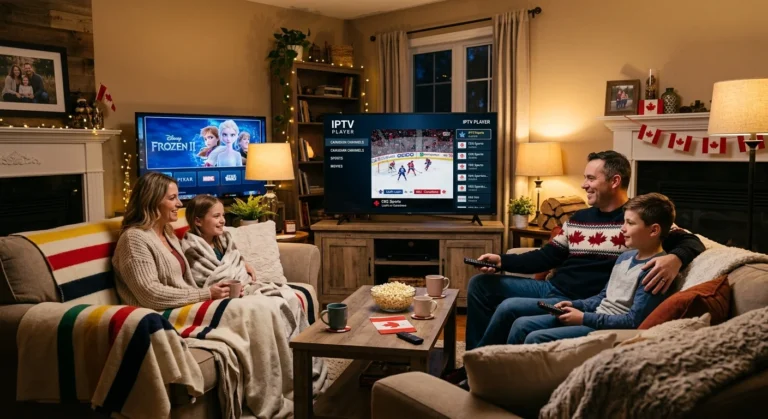
Not every Smart TV runs IPTV equally. The brand, the operating system, the year of manufacture, and the specific app store available on your TV all change what IPTV apps you can install and how well they perform. This guide compares every major Smart TV brand sold in Canada, Samsung, LG, Sony, TCL, Hisense, Philips, Panasonic, and Vizio, for IPTV compatibility in 2026, ranking them by real-world performance, app availability, and ease of setup.
If you already own a Smart TV and want to install IPTV without buying extra hardware, this guide tells you exactly what you can do. If you are shopping for a new Smart TV with IPTV in mind, the same guide tells you which brands to prioritize.
How Smart TV IPTV Compatibility Actually Works
Every Smart TV in 2026 runs an operating system. The specific OS determines which IPTV apps you can install. The five major Smart TV operating systems in Canada are:
- Tizen (Samsung)
- webOS (LG)
- Google TV / Android TV (Sony, TCL, Hisense, Philips, others)
- Roku TV (TCL, Hisense, Philips, Sharp budget models, Vizio in some markets)
- Fire TV (some Toshiba, Pioneer, Insignia models)
Native IPTV app availability varies sharply between these operating systems. Android TV and Google TV have the largest IPTV app library because they share the Google Play Store with Android phones, where every IPTV app exists. Roku TV has the smallest IPTV app library because Roku’s app store is heavily curated and most IPTV apps never make it through approval.
If your Smart TV does not have a usable native IPTV app, you have three options: connect an Amazon Firestick or Apple TV (cheap, works on every TV with HDMI), screen-mirror from your phone, or use the M3U URL through whatever generic media player your TV does support.
Smart TV Brand Rankings for IPTV: 2026 Canada
1. Sony, TCL, Hisense, Philips (Google TV / Android TV): Best Overall
Smart TVs running Google TV or Android TV are the best for native IPTV in Canada in 2026. The Google Play Store on these TVs carries every major IPTV player you would actually want to use: IPTV Smarters Pro, TiviMate, GSE Smart IPTV, Perfect Player, OTT Navigator, and dozens more. Setup is identical to installing any other app, search the Play Store, install, sign in with your IPTV credentials, and start watching.
Best for: Everyone. If you are buying a new Smart TV and want IPTV to work flawlessly out of the box, get a Google TV or Android TV model. Sony Bravia, TCL C-series, Hisense U-series, and Philips models running Android TV all qualify.
Limitations: Older Sony Smart TVs from before 2017 used a different proprietary OS, those do not have Google Play Store and need a separate Firestick or Apple TV. Confirm your model is Google TV or Android TV before buying.
For brand-specific setup details, see our Android TV IPTV Canada setup guide.
2. LG Smart TV (webOS): Strong Native Support
LG webOS has built-in support for IPTV through the LG Content Store. The official IPTV Smarters Pro app is available, along with Smart IPTV (paid one-time fee), SS IPTV, and several other M3U-compatible players. Performance is excellent on the 2020 and newer LG OLED, NanoCell, and QNED models, the WebOS interface is fast, channel switching is responsive, and the magic remote pointer makes navigating channel guides quick.
Best for: LG TV owners who want a native, no-extra-hardware IPTV setup.
Limitations: Older LG WebOS versions (pre-2018) have fewer IPTV app options. Some players require sideloading via USB, which is more complicated than installing from the LG Content Store. Smart IPTV charges a small one-time fee per device after a 7-day trial.
See our IPTV Canada installation tutorial for step-by-step setup on LG and other smart TVs.
3. Samsung Smart TV (Tizen): Good With Workarounds
Samsung Tizen TVs have decent native IPTV support through the Samsung App Store. Smart IPTV (paid), IPTV Smarters Pro, OttPlayer, and Set IPTV are all available. The interface is clean and the picture quality is excellent on Samsung’s QLED and Neo QLED models. The drawback is that Samsung’s app store is more restrictive than Google’s, so newer or niche IPTV apps may not appear in the Samsung version.
Best for: Samsung QLED and Neo QLED owners who want a native setup and do not mind paying $5 to $10 one-time for a paid IPTV app.
Limitations: Most quality IPTV players on Samsung require a small one-time MAC address activation fee (typically $5 to $10). The Samsung app store occasionally removes IPTV apps, which can require switching to a different player.
For Samsung-specific setup, see our IPTV Samsung Smart TV Canada guide.
4. TCL, Hisense, Philips Roku TV: Limited Native, Better Via Workaround
Roku TV models from TCL, Hisense, Philips, Sharp, and select Vizio models have very limited native IPTV support. The official Roku Channel Store carries a few IPTV apps, Sling TV, Pluto TV, Tubi for free streaming, but no proper IPTV M3U player apps. The recommended approach for Roku TV owners is to add a $50 Amazon Firestick or $40 Android TV box to one of the HDMI inputs and use that for IPTV while keeping Roku for Netflix, Disney Plus, and other mainstream apps.
Best for: Roku TV owners who already plan to add a Firestick or Android box for IPTV.
Limitations: No native IPTV M3U player. Screen mirroring from a phone works but is fiddly and inconsistent.
5. Vizio SmartCast, Limited Options
Vizio’s SmartCast OS is similar to Roku in being heavily curated. Native IPTV apps are essentially nonexistent. Most Vizio TVs in Canada are sold with Chromecast built in, so the workaround is to cast from a Google Chrome browser or an IPTV app on your phone. For a proper setup, add a Firestick, Apple TV, or Android TV box.
Best for: Vizio owners who already plan to add a separate streaming device.
6. Older Smart TVs (pre-2018), Use a Firestick
Smart TVs older than 2018 from any brand are usually too slow, too low-storage, or too out-of-support to install modern IPTV apps. Even if an app installs, performance is laggy and channel switching is slow. The honest fix: spend $50 on an Amazon Firestick 4K or $179 on an Apple TV 4K, plug it into HDMI, and use that for IPTV. The TV becomes a dumb display, which is exactly what older Smart TVs are best at.
Side-by-Side Brand Comparison
| Brand / OS | Native IPTV Apps | Free Apps Available | App Quality | Performance | Best For |
|---|---|---|---|---|---|
| Sony Google TV | Many (Play Store) | Yes | Excellent | Excellent | Everyone |
| TCL Google TV | Many (Play Store) | Yes | Excellent | Very Good | Budget-conscious |
| Hisense Google TV | Many (Play Store) | Yes | Excellent | Very Good | Mid-range buyers |
| Philips Android TV | Many (Play Store) | Yes | Excellent | Good | Mid-range buyers |
| LG webOS | Several | Some | Good | Excellent | LG owners |
| Samsung Tizen | Several | Few (mostly paid) | Good | Excellent | Samsung QLED owners |
| TCL/Hisense Roku | Very Few | None real | Limited | Good | Add Firestick |
| Vizio SmartCast | Almost None | None | Limited | Good | Add Firestick |
| Pre-2018 Smart TVs | Varies | Limited | Variable | Slow | Add Firestick |
What "Smart TV IPTV" Actually Looks Like in Daily Use
Once your Smart TV is set up with IPTV, the daily experience is identical to using a cable box. You turn on the TV, open the IPTV app, and either flip channels with the remote or browse the program guide for what is on now and next. Channel changes take one to two seconds on modern TVs and three to five seconds on older models. The picture quality matches whatever your TV supports, 4K HDR on premium TVs, 1080p HD on standard models.
The Royal Stream IPTV channel lineup gives you every TSN and Sportsnet channel, RDS for French hockey, NHL Network, NBA TV, NFL Network, every Canadian over-the-air network (CBC, CTV, Global, CityTV, TVA, Radio-Canada), live news, and a deep international lineup. Our complete channel list breaks down what is included.
For households watching live sports specifically, the Smart TV plus IPTV combination delivers the same experience as a cable subscription with sports, at a fraction of the price. See our watch NHL playoffs in Canada guide for hockey-specific setup.
Setup Difficulty by Brand
How hard is IPTV to set up on each Smart TV brand? Here is the honest ranking:
Easy (under 10 minutes, no extra hardware):
- Sony Google TV
- TCL Google TV
- Hisense Google TV
- Philips Android TV
- LG webOS (recent models)
- Samsung Tizen (recent models)
Moderate (15 to 30 minutes, may require sideloading):
- Older Samsung Tizen
- Older LG webOS
- TCL/Hisense Roku TV (with Firestick added)
Difficult or impossible without extra hardware:
- Vizio SmartCast (needs Firestick or Apple TV)
- Pre-2018 Smart TVs of any brand (needs Firestick or Apple TV)
For the easy category, our IPTV Canada installation tutorial walks through the full setup for each major brand.
Picture Quality and 4K Support
Every recent Smart TV (2020 onward) from any major brand supports 4K HDR streaming. The IPTV experience matches whatever the TV is capable of:
- Samsung Neo QLED, LG OLED, Sony Bravia OLED: Best-in-class 4K HDR, Dolby Vision (LG and Sony), Dolby Atmos audio
- TCL C-series, Hisense U-series: Excellent 4K HDR at lower price points
- Mid-range Smart TVs: Reliable 1080p, 4K on supported channels
- Budget Smart TVs: 1080p HD, no HDR
Most live IPTV channels broadcast in 1080p HD because that is the broadcast standard. Premium VOD content and select sports channels stream in 4K. Your TV will match the source quality automatically.
Ethernet vs Wi-Fi for IPTV on Smart TV
This is the single biggest performance variable nobody talks about. Wi-Fi is convenient but introduces latency and packet loss that cause IPTV channels to buffer or freeze, especially during peak hours (7 to 11 PM) when neighbouring networks compete for spectrum.
If your Smart TV is within reach of an ethernet cable, plug it in. The improvement in IPTV stability is dramatic, buffering essentially disappears, channel switching is faster, and 4K streams stop dropping frames. Most Smart TVs sold in Canada have an ethernet port on the back.
If ethernet is impossible, use 5 GHz Wi-Fi instead of 2.4 GHz, position the TV within 5 metres of the router, and consider a mesh Wi-Fi system if your home has multiple floors. Wi-Fi 6 routers (the newer standard) handle multiple 4K streams much better than older Wi-Fi 5 routers.
Pricing, IPTV on Smart TV in Canada
The Smart TV is hardware you already own (or are buying anyway). The IPTV subscription is the only additional cost. With Royal Stream IPTV in 2026 Canadian dollars:
- 1 month at a time: $20/month → $240/year if paid monthly
- 12 month plan: $69/year (best value, $5.75/month equivalent)
- 12 month with 5 connections: $212/year (for households running IPTV on multiple TVs simultaneously)
Compare that to $130 to $180 per month for cable with the same channel access. A premium Smart TV plus IPTV pays for itself within the first year compared to keeping cable.
For the full pricing breakdown, see our IPTV Canada pricing guide.
What If My Smart TV Does Not Support IPTV?
Three options, ranked by cost:
Option 1: Amazon Firestick 4K ($50 CAD) Plug into any HDMI port, sign in with your Amazon account, install IPTV Smarters Pro from the Amazon Appstore, sign in with Royal Stream credentials. Done in 10 minutes. Works on any TV from any brand from any year that has at least one HDMI port.
Option 2: Android TV Box ($40 to $80 CAD) Same idea as Firestick but with a Google Play Store instead of an Amazon Appstore. Slightly more flexibility on apps, and many models support 4K HDR.
Option 3: Apple TV 4K ($179 CAD) Premium option with the best interface, longest software support, and AirPlay from iPhone. See our dedicated Apple TV IPTV Canada guide for full setup.
For Firestick-specific setup, see our IPTV Firestick Canada guide.
Common Smart TV IPTV Issues and Fixes
Channel buffering or freezing. First check internet speed at fast.com (need 25 Mbps for HD, 50 Mbps for 4K). Switch from Wi-Fi to ethernet if possible. Restart the router.
App keeps crashing. Clear the app cache (TV Settings → Apps → IPTV Smarters Pro → Clear Cache). If the issue persists, uninstall and reinstall the app.
EPG not loading. In your IPTV app settings, force-refresh the EPG (program guide). The guide updates from your IPTV provider every 24 hours.
4K not playing in 4K. Check TV settings: Picture → Resolution → ensure HDMI input is set to enhanced or 4K mode. Some Smart TVs default to 1080p mode on HDMI inputs to save bandwidth.
Wrong channels in guide. Royal Stream auto-detects your region from your IP address, so all Canadian channels should appear. If you see US channels instead, contact support, your account region may need adjustment.
FAQ: IPTV Smart TV Comparison Canada
Which Smart TV brand is best for IPTV in Canada?
Smart TVs running Google TV or Android TV (Sony, TCL, Hisense, Philips) have the best native IPTV support because they share the full Google Play Store with Android phones. Every major IPTV player is available with no workarounds.
Can I install IPTV on my Samsung Smart TV?
Yes. Samsung Tizen Smart TVs support IPTV through apps in the Samsung App Store including Smart IPTV, IPTV Smarters Pro, and Set IPTV. Most quality apps charge a small one-time MAC address activation fee around $5 to $10. See our Samsung-specific setup guide for step-by-step instructions.
Can I install IPTV on my LG Smart TV?
Yes. LG webOS supports IPTV through apps in the LG Content Store including IPTV Smarters Pro, Smart IPTV, and SS IPTV. Performance is excellent on 2020 and newer LG OLED, NanoCell, and QNED models.
Why does my Roku TV not have IPTV apps?
Roku’s app store is heavily curated and most IPTV M3U player apps do not pass approval. Roku TV owners typically add an Amazon Firestick ($50) or Android TV box ($40 to $80) to one HDMI input and use that for IPTV while keeping Roku for Netflix, Disney Plus, and other mainstream streaming apps.
Do I need a 4K TV for IPTV?
No. IPTV works on any Smart TV: 720p, 1080p HD, or 4K. The picture quality matches whatever your TV supports. Most live IPTV channels broadcast in 1080p HD, which works perfectly on standard HD Smart TVs. Premium VOD content streams in 4K on supported TVs.
Will IPTV work on my older Smart TV from 2015?
Most pre-2018 Smart TVs are too slow or too out-of-support to run modern IPTV apps well. The recommended fix is to spend $50 on an Amazon Firestick 4K and plug it into the HDMI input. The Smart TV becomes a dumb display, which is what older Smart TVs are best at.
Does Royal Stream IPTV work on my Smart TV brand?
Yes, Royal Stream IPTV provides M3U URL and Xtream Codes API credentials that work with every IPTV player on every Smart TV brand. If your TV has a usable IPTV app in its app store, Royal Stream connects in under five minutes. Start a free 24-hour trial to test it on your specific TV.
Is it worth buying a new Smart TV just for IPTV?
No, buy a $50 Firestick or $40 Android TV box and use it on your existing TV. The IPTV experience will be identical to a brand-new Smart TV at a fraction of the cost. Only buy a new Smart TV if you also want a bigger screen, better picture quality, or a longer-supported platform.
Bottom Line: Best Smart TV for IPTV in Canada
If you are buying a new Smart TV in 2026 and want IPTV to work flawlessly out of the box, get a Sony, TCL, Hisense, or Philips model running Google TV or Android TV. The full Google Play Store gives you every major IPTV player and the setup is a 10-minute project.
If you already own an LG or Samsung Smart TV from 2020 or newer, you have good native IPTV support, just install the right app from your TV’s app store and pay the small one-time fee if required.
If you own a Roku TV, a Vizio TV, or any Smart TV older than 2018, the cheapest fix is a $50 Amazon Firestick or $40 Android TV box. Plug it in, install IPTV Smarters Pro, and your existing TV is now a fully capable IPTV machine.
Whatever Smart TV you have, Royal Stream IPTV works on it. Start your 24-hour free trial, no credit card required, and have IPTV running on your Smart TV in under 15 minutes.
Marc Tremblay, Royal Stream IPTV
Version française disponible
Ce service est aussi offert en français — équipe à Montréal, soutien francophone 24/7.

Marc Tremblay is a Canadian cord-cutting enthusiast based in Montreal. After spending years overpaying for cable, he started testing IPTV services across Canada and writing about what actually works. He covers streaming, Canadian sports broadcasting, and everything cord-cutting at Royal Stream IPTV.